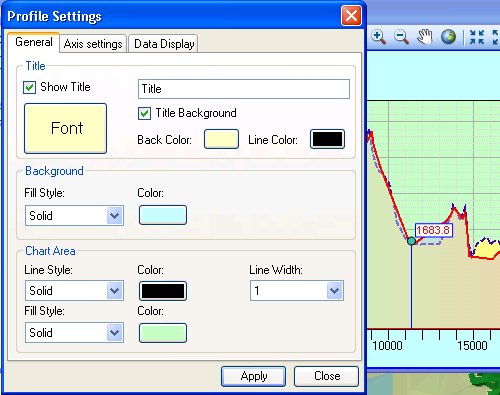
General settings for the Profile Window can be adjusted by the user from the Profile settings dialog (Settings Menu ==> Profile Settings)
- On the General tab the user can set a title for the profile, its font and colour as well as styles and colours for the background and the profile area.
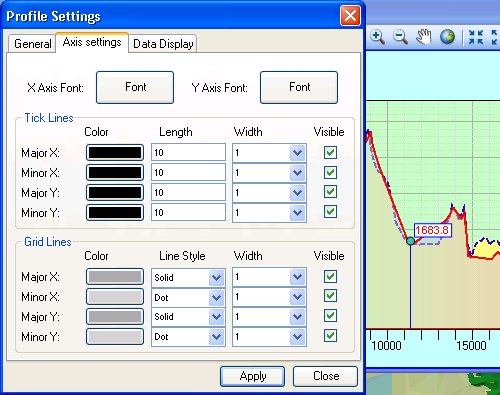
- The Axis Settings tab allows adjusting
- the fonts and colours for the axis labels
- the color, width, length and visibility of tick marks
- the style, width and color of grid lines
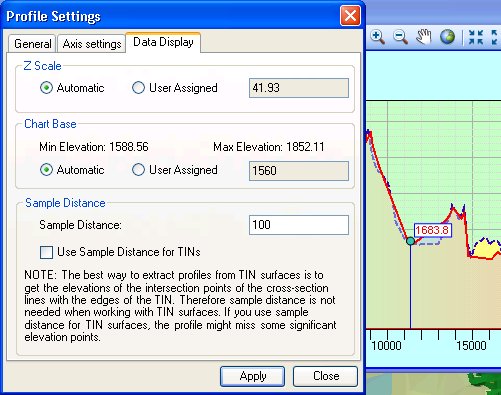
- Data Display options
- Adjusting Z scale (the difference of the representation of the
distances in length and height. Z Scale = 2 for example will mean
that 250 meters height will be equal to 500 meters length on the
profile display).
- Automatic - the software will calculate Z Scale based on the profile data and the size of the Profile Window.
- User Assigned - the user can set explicitly the Z Scale for drawing the profile. Note that this might cause not the entire profile to be visible. The user might need to adjust the size of the Profile Window or the zoom factor.
- Profile Base (the lowest Z value to be displayed). Initially the Profile Base is calculated by the software based on the profile data and the size of the Profile Window. The user can adjust the Profile Base explicitly. To facilitate this the highest and lowest Z values of the current profile are indicated in the dialog.
- Sample Distance - the distance (in the units of the spatial reference of the data frame) along the cross-section polyline data points are interpolated from the surface. The sample distance can be adjusted from the Data Display tab of the Profile Settings or directly from Settings ==> Sample Distance. The Profile Settings Dialog allows the user to indicate whether the Sample Distance will be used for profiles derived from TIN surfaces. See the discussion about Sample Distance.
- Adjusting Z scale (the difference of the representation of the
distances in length and height. Z Scale = 2 for example will mean
that 250 meters height will be equal to 500 meters length on the
profile display).
Copyright © Ianko Tchoukanski