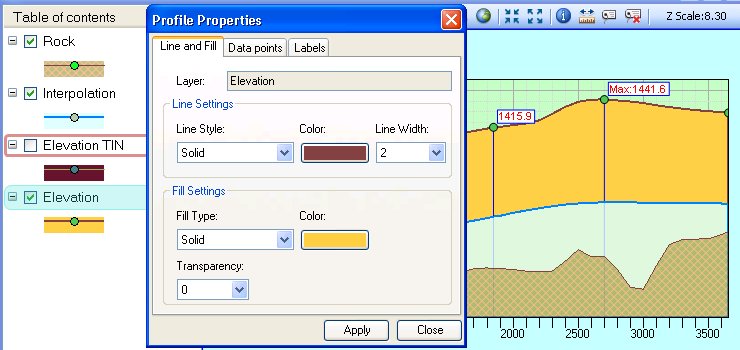
Property settings for each layer can be adjusted in the Property Windows (TOC Context Menu ==> Properties). Depending on the layer type, there are different Property Windows. When the layer is a surface, the Profile Properties Window is displayed. For layers - see Layer Properties
- Profile Properties - apply
settings for a Surface layer
- Line and Fill tab - allows for changes in the line style, color and width and the fill type, color(s), style and transparency.
- Data points tab
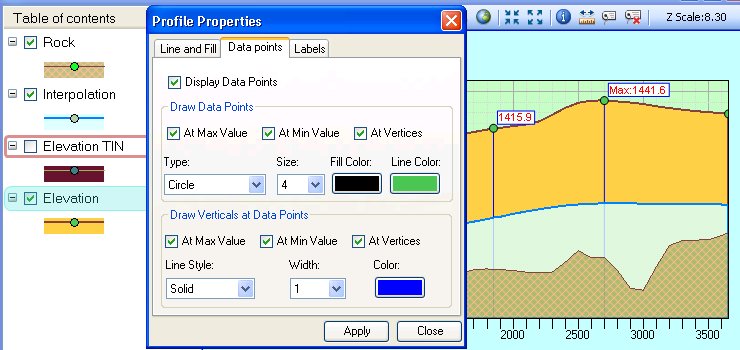
- Display Data Points - when not checked, no Data Points are displayed including Verticals and Labels. When checked the options below are used for the Data Points display. This option can also be changed for a layer by right clicking on the Layer name in the TOC and checking "Show Data Points".
- Draw Data Points - the user can specify which significant data points will be drawn automatically on the profile and change their symbol, size and colors.
- Draw Verticals at Data Points - the user can specify at which significant data points a vertical lines will be drawn automatically on the profile and change their line style, width and color.
- Labels tab
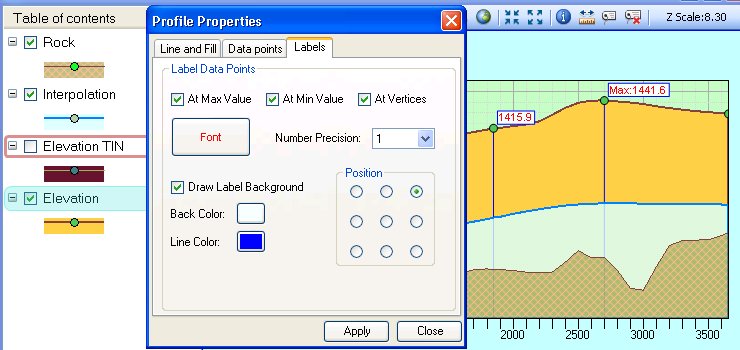
- Label Data Points - the user can specify which significant data points will be labelled on the profile, change the font, style, precision and position of the Labels
Copyright © Ianko Tchoukanski